Manufacturing stock guide
How to Track Raw Material and Finished Goods Stock in Manufacturing
Record production clearly so material used and finished goods are visible at the right store.
For Indian manufacturers and small production businesses tracking raw material and finished goods.
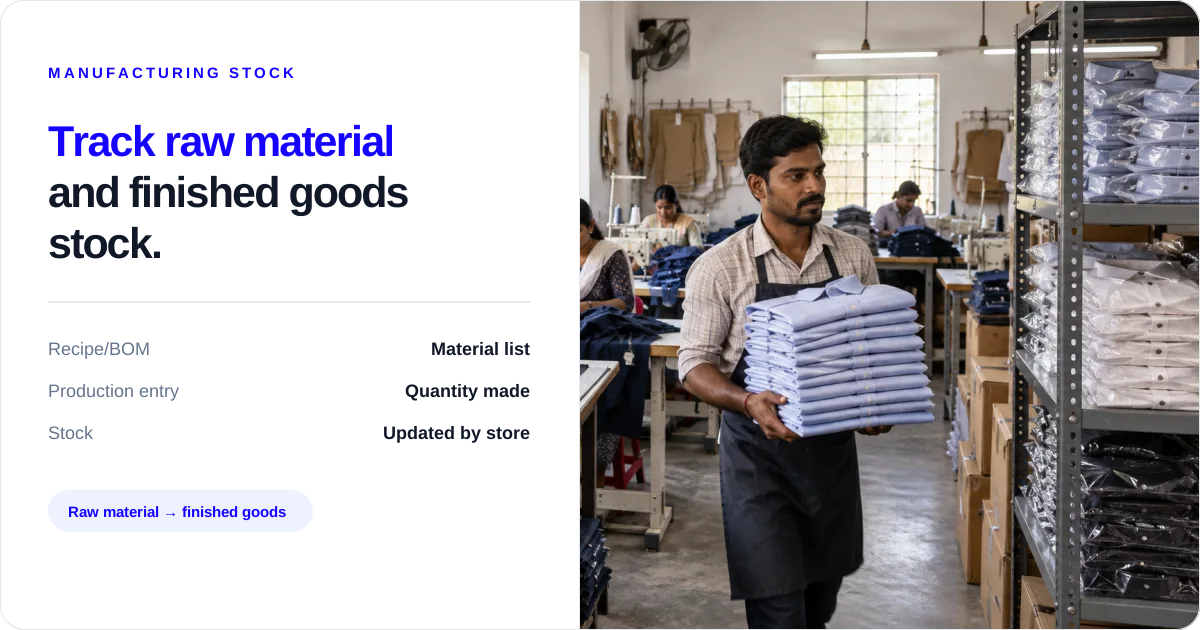
Record each production run against the correct item and quantity; the saved Recipe/BOM supplies the material quantities, then Stock Register deducts those raw materials and adds the finished goods.
This is useful for a garment unit, food maker, furniture workshop, small factory or any business that turns purchased material into a saleable item. The aim is simple: after production, the stock left on the screen should tell the owner what material remains and how many finished pieces are ready.
What to enter for every production run
Use this short table before saving the entry. It keeps the item, quantity, material and store together so the owner can compare the screen with the shop floor.
| Before you save | Enter in Stock Register | Owner’s check |
|---|---|---|
| Finished item | Item name and Recipe/BOM | Is this the product actually made? |
| Quantity made | Quantity and unit, such as 10 pieces | Does it match the count on the floor? |
| Material used | Loaded raw materials and quantities | Does the list match what production issued? |
| Where work happened | Store or godown selected for the entry | Will the finished stock be kept there? |
| After saving | Manufacturing list and cost per unit | Do the saved figures match the goods and note? |
Why production entries get missed
The usual gap is between the floor and the stock register. Someone uses fabric, labels, packing material or ingredients, but the raw-material balance is changed later. Finished goods may also sit in the production area without being added to stock. The owner then buys material using an old number or promises goods that are not recorded at the right location.
Before saving an entry, the person handling production should confirm the item, quantity, unit, date and store. That is a business check; software cannot count the material on the floor for you.
Start with the Recipe/BOM, not a loose note
Create the finished item and save the materials needed for one unit in its Recipe/BOM. For example, a shirt may use 2.5 metres of fabric, 1 piece of label and 1 poly bag. When the owner enters a production quantity, Stock Register loads those materials and multiplies the quantities from the recipe.
This prevents the counter person from typing a fresh material list for every production run. The person still needs to compare the loaded list with what was actually issued.
What to enter when one production run is complete
- Select the finished item.
- Enter the quantity and unit, such as 10 pieces.
- Check the loaded raw materials and quantities.
- Select the store where production happened.
- Confirm the date and entry details.
- Save the manufacturing entry.
After saving, Stock Register deducts the recipe materials and adds the finished goods to that store’s stock. It records the production entry; the owner or supervisor remains responsible for checking the physical quantity and condition.
How one entry changes stock
| Stock before saving | Production entry | Stock after saving |
|---|---|---|
| 25 metres fabric, 10 labels and 10 poly bags | 10 cotton shirts | Fabric, labels and poly bags reduce by the recipe quantity; finished shirts increase by 10 pieces |
| No finished shirts recorded at the selected store | 10 pieces made | 10 finished shirts are added to that store |
The movement is: Recipe/BOM → enter quantity → save manufacturing entry → raw material reduces + finished goods increase.
One production run: 10 shirts at Ramesh Garments
At Ramesh Garments, the team makes 10 cotton shirts. The saved recipe uses 2.5 metres of fabric per shirt, so the entry loads 25 metres of fabric. It also loads 10 labels and 10 poly bags. The owner checks the quantities against the material issued, enters 10 pieces, and saves the entry under the store where the work happened.
The useful result is not a complicated report. It is a clear stock update: the store has 10 more finished shirts, and the recipe materials used for those shirts are no longer shown as stock left.
Check the cost before you price the finished item
The manufacturing entry can show raw-material cost, extra labour and electricity cost, total manufacturing cost and cost per unit. Use this as a record of what went into the entry. Compare it with your selling price and supplier bills separately; cost per unit is not the same as profit or margin.
When production happens at more than one place
If production happens at a plant, shop or another store, select the location where the work happened. Stock Register provides store-wise manufacturing entries and summaries. This helps the owner compare which location recorded the production, but the team must still check that material was physically issued and finished goods were actually received there.
Give the counter person the details
The person making the goods should give the counter or owner four facts: finished item, quantity made, material used and production location. The person entering the record should check the recipe, quantity and store before saving. If those facts are missing, hold the entry until the supervisor can confirm them.
What Stock Register records—and what your team must check
Stock Register records the manufacturing entry and updates the related stock when the entry is saved. Your team must still count material, confirm the finished quantity, check damage or quality, and decide whether the goods can be sold. The app does not replace a physical count, quality check or production supervisor.
Common mistakes that change production stock
- Saving production under the wrong store.
- Entering cartons when the recipe is set up in pieces, or the other way around.
- Forgetting material used outside the saved recipe.
- Adding finished goods without recording the production entry.
- Treating the cost per unit as the selling price or profit.
- Saving an entry before the person on the floor confirms the quantity.
A five-minute production check
At the end of each run, confirm:
- finished item and quantity;
- unit used in the entry;
- raw materials issued;
- store where production happened;
- cost per unit, if you need it for pricing;
- finished goods physically received.
If the screen and the floor do not match, correct the entry with the responsible person before the next purchase or sale decision.
Check the inward material before production starts
The production entry cannot fix a material purchase that was never recorded. When fabric, ingredients, boards or packing material comes in, record the purchase at the location that will use it. Keep the supplier bill or inward note with the physical goods, and make sure the item name and unit match the recipe.
Before the production team starts, the store person should confirm the finished item, quantity planned, material quantities issued, store or godown where the work will happen, and the person who will confirm the finished quantity. This is a shop-floor practice, not an automatic Stock Register check.
Use the correct store when work happens in different places
A business may cut cloth at one store, stitch at another, or keep packing material at a godown while finished goods are held at a shop. Do not choose a location just because it is the first tab on the screen. Choose the store where the production entry belongs and confirm that the material was issued there.
If production happens at two locations, keep separate entries for the work recorded at each location. The stock tracking page helps you look at the resulting stock record; the manufacturing entry identifies where production was recorded. A transfer between locations remains a separate business action and should not be silently treated as production. The multi-godown page is useful when the owner needs stock by location.
Which store should carry the entry?
| Where the work happens | Store to select | What to confirm |
|---|---|---|
| Shop back room | That shop | Finished pieces are physically there before billing |
| Godown production room | That godown or production store | Material was issued at that location |
| Two branches make the same item | Separate entry for each branch | Each branch’s quantity matches its own shelf |
Review the manufacturing list after saving
The manufacturing list supports date-range filtering and search. Use the date filter to see entries for a day, week or chosen period. Search by entry number or manufactured item when you need to find one production record. This helps when the owner wants to know how many pieces were recorded this week or when the counter person needs to find an entry before billing.
The list is a saved record, not proof that the physical goods are still present. Compare the entry with the finished-goods shelf and production note when the quantity matters. If the list shows an entry but the goods were rejected, damaged or moved, handle that separately using the steps your team already follows.
Read the cost on the manufacturing preview
The manufacturing preview shows raw-material cost, extra labour and electricity cost, total manufacturing cost and cost per unit. For a run of 10 shirts, it may show raw-material cost of ₹3,660, extra labour and electricity cost of ₹900, total manufacturing cost of ₹4,560, and cost per unit of ₹456.
| Cost shown on the entry | Amount for 10 shirts |
|---|---|
| Raw-material cost | ₹3,660 |
| Labour and electricity cost | ₹900 |
| Total manufacturing cost | ₹4,560 |
| Cost per shirt | ₹456 |
Use the Manufacturing Entry feature to understand these fields. The figures describe the saved manufacturing entry. They do not decide the selling price, customer discount, tax treatment or profit. The owner should compare the cost with the purchase bill, other business costs and selling terms before changing a price.
What the owner should decide before the next sale
Before finished goods are promised to a customer, ask three practical questions:
- Is the finished quantity recorded under the store that will supply the order?
- Does the physical finished stock match the quantity entered?
- Does the item use the same name and unit in the bill and production record?
If any answer is no, pause the promise and confirm with the production or store person. Stock Register can show the saved stock record; your team decides whether the goods are ready, saleable and available for that customer.
Give each person one clear task
The owner does not need to type every production detail. Give each person one responsibility:
- The purchase or store person records material inward and tells the team which location holds it.
- The production person confirms the finished item, quantity and material issued.
- The counter person or owner enters the manufacturing record and selects the correct store.
- The owner checks the manufacturing list and cost when pricing or buying decisions depend on the result.
For a one-person business, these are four checks done by the same person. For a unit with staff, saying who owns each task prevents “I thought someone else entered it” from becoming a stock problem.
Three location situations to handle differently
One shop making goods in its back room
Record production under that shop. Keep the material issue and finished quantity together, then check the added finished stock before billing.
One godown supplying a separate production room
Record the material where it is held and record production at the store where the work is entered. If goods physically move between them, record that movement through the business’s stock-transfer process rather than changing the production quantity to hide the move.
Two branches making the same finished item
Use the same item and Recipe/BOM, but save separate entries for each branch. Review the list by date and item, then compare each branch’s finished quantity with its physical shelf. This gives the owner a location-by-location record without pretending that the software inspected the floor.
When the recipe and floor quantity differ
Do not quietly change the recipe every time one run uses a different quantity. First write down what was issued and what was produced. Then decide whether the recipe is wrong, material was wasted, the finished quantity was counted incorrectly, or the team entered the wrong unit.
If the saved entry is wrong, follow your normal correction practice and keep the supporting note. If the recipe itself needs a lasting change, update it deliberately so the next production entry starts with the correct quantities. This keeps a one-off mistake from becoming the standard material list.
A weekly owner check
Once a week, open the manufacturing list and filter the period you want to review. Pick one or two entries and compare the item and production quantity, selected store, raw-material quantities and costs, finished goods physically on hand, purchase bills for the material used, and cost per unit where pricing depends on it.
You do not need to inspect every old entry to get value from the check. Start with the largest run, the item sold most often, or the store where staff records production. If the check finds a repeated difference, speak with the person responsible for that task before the next run.
Keep the first login test small
Do not begin by entering every product. Create one finished item, save its Recipe/BOM, enter one real production quantity and select the correct store. Check the raw-material quantities before saving, then open the manufacturing list and preview after saving. This gives the owner a quick answer about whether the record fits the way the unit actually works.
If the first entry is clear, add the next finished item and the next location. If the unit does not use recipes or does not need a production entry, regular stock and purchase records may be a better starting point.
Use the record before buying more material
The production entry is especially useful before the next purchase. If the owner sees that several runs used the same fabric, ingredient or packing item, compare the stock left with the next run’s recipe quantity and the supplier’s delivery time. This is a buying conversation, not an automatic purchase recommendation. The owner decides how much to buy after checking orders, cash, supplier terms and material already on hand.
It also helps before dispatch. If a customer wants 20 finished pieces but the selected shop has 12 recorded, do not assume that material in another godown is finished stock. Check the manufacturing list, physical shelves and any transfer record separately. The customer promise should follow the goods that are actually ready at the supplying location.
For staff, write the details in the same words every time: “10 shirts made, 25 metres fabric used, Ramesh Garments store.” A short sentence is easier to compare with the saved entry than a long note that leaves out the unit or location.
That small habit matters when the owner is away from the shop or godown. The saved entry, supplier bill and floor note can then be read together instead of reconstructed from memory at the end of the month.
Related resources
Frequently Asked Questions
How does production change stock?⌄
When you save a manufacturing entry, Stock Register deducts the recipe’s raw materials and adds the finished goods to the selected store.
What does the Recipe/BOM do?⌄
It stores the material quantities needed for one finished item and loads the related quantities when you enter a production quantity.
Can I record production store-wise?⌄
Yes. Manufacturing entries can be recorded and viewed by store/location, with the materials deducted and finished goods added at that location.
Can I see manufacturing cost per unit?⌄
Yes. The manufacturing record can show raw-material cost, extra labour/electricity cost, total manufacturing cost and cost per unit.
Does the manufacturing list let me find an old production entry?⌄
Yes. You can filter the manufacturing list by date range and search by entry number or manufactured item. You still need to compare the saved entry with the physical goods when the quantity matters.
Does Stock Register check whether finished goods passed quality inspection?⌄
No. It records the manufacturing entry and related stock update. Your production or quality team decides whether finished goods are fit to sell.