Keep the supplier, item lines and total together.
For owner-run shops and small wholesale teams


PO 001 · worked example
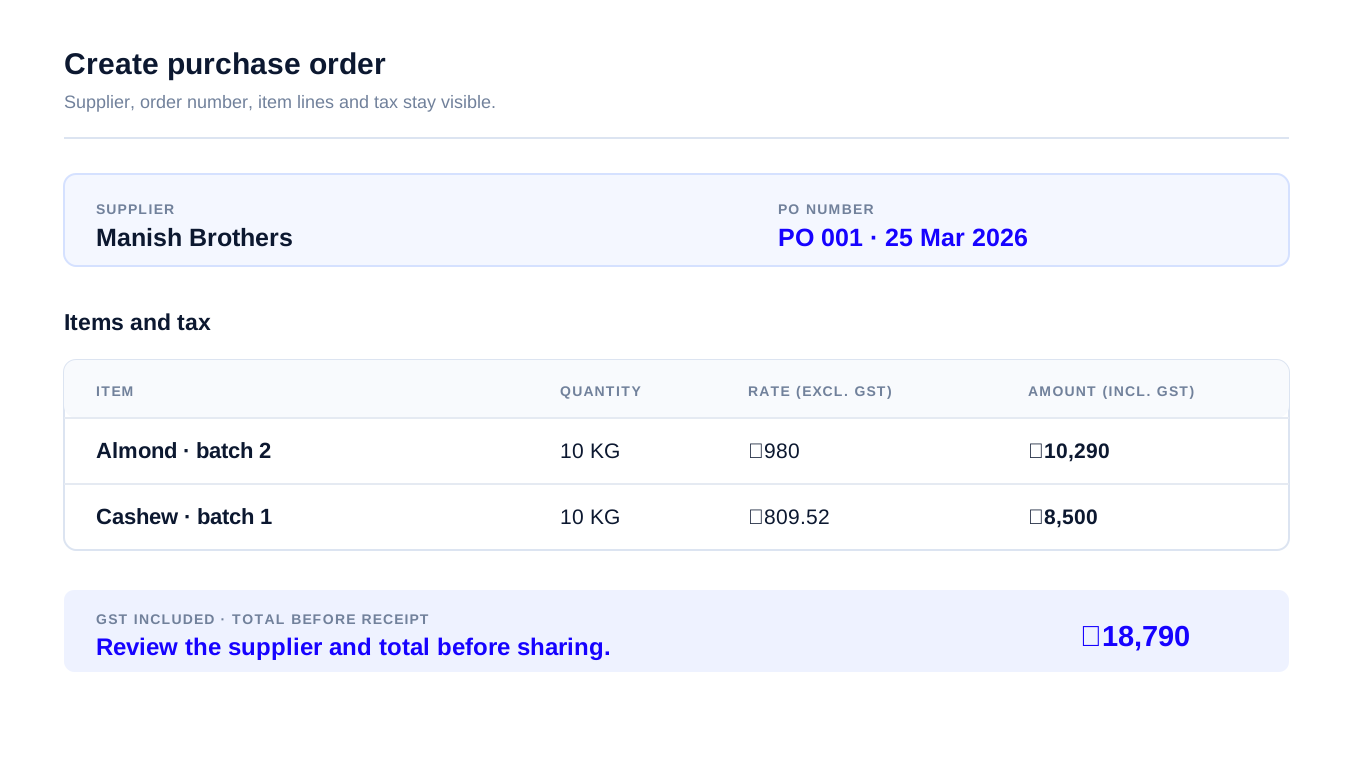
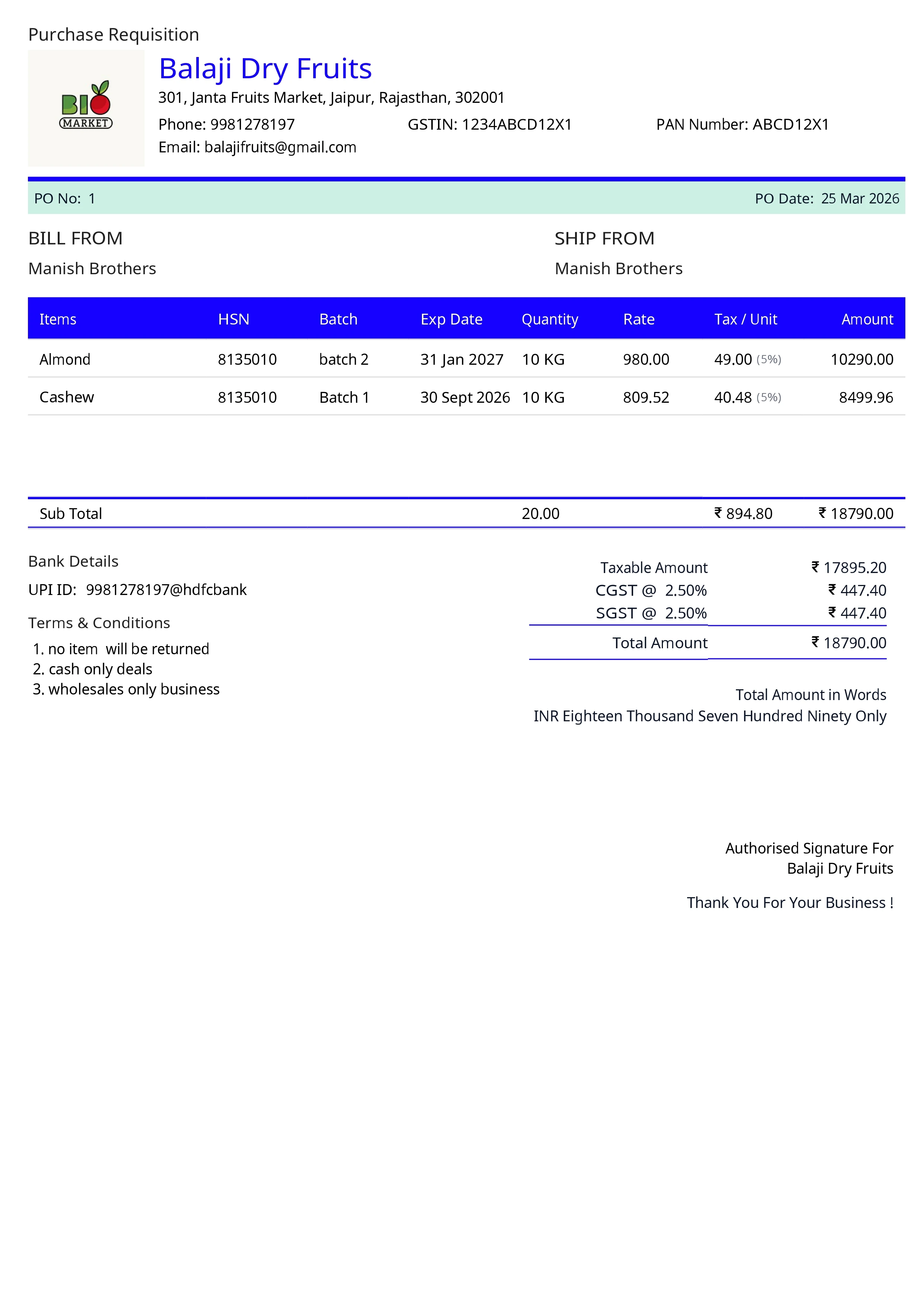
This two-item example shows each rate before GST, the 5% tax, each GST-inclusive line total and the final order total.
Purchase order · PO 001
Example supplier order · 2 items
Before GST
₹17,895.20
Order total · GST included
₹18,790
| Agreed item | Batch | Quantity | Rate · excl. GST | GST · 5% | Line total · incl. GST |
|---|---|---|---|---|---|
| Almond | Batch 2 | 10 KG | ₹980 | ₹490 | ₹10,290 |
| Cashew | Batch 1 | 10 KG | ₹809.52 | ₹404.76 | ₹8,500 |
Example figures; GST-inclusive line amounts are rounded to the nearest rupee. A purchase order records the agreed order; it is not a stock entry.
From supplier order to purchase bill
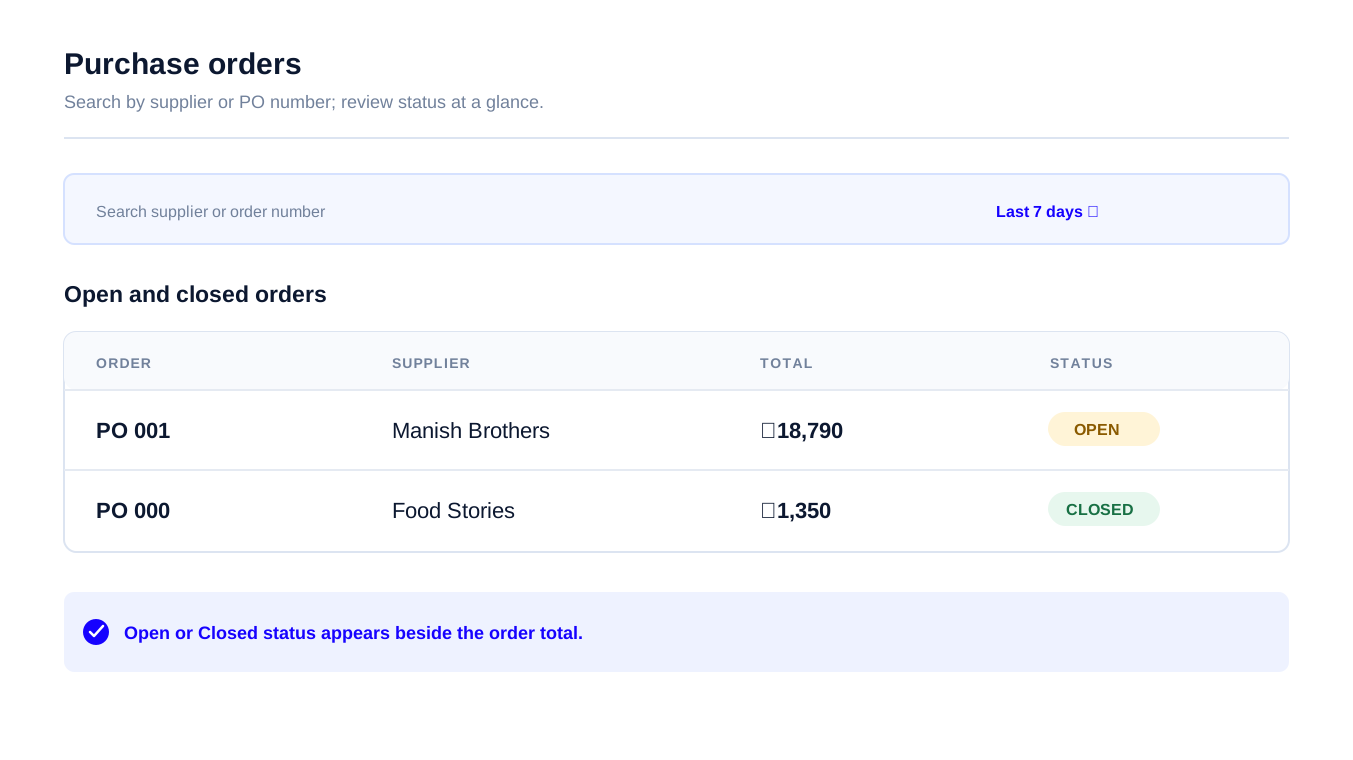
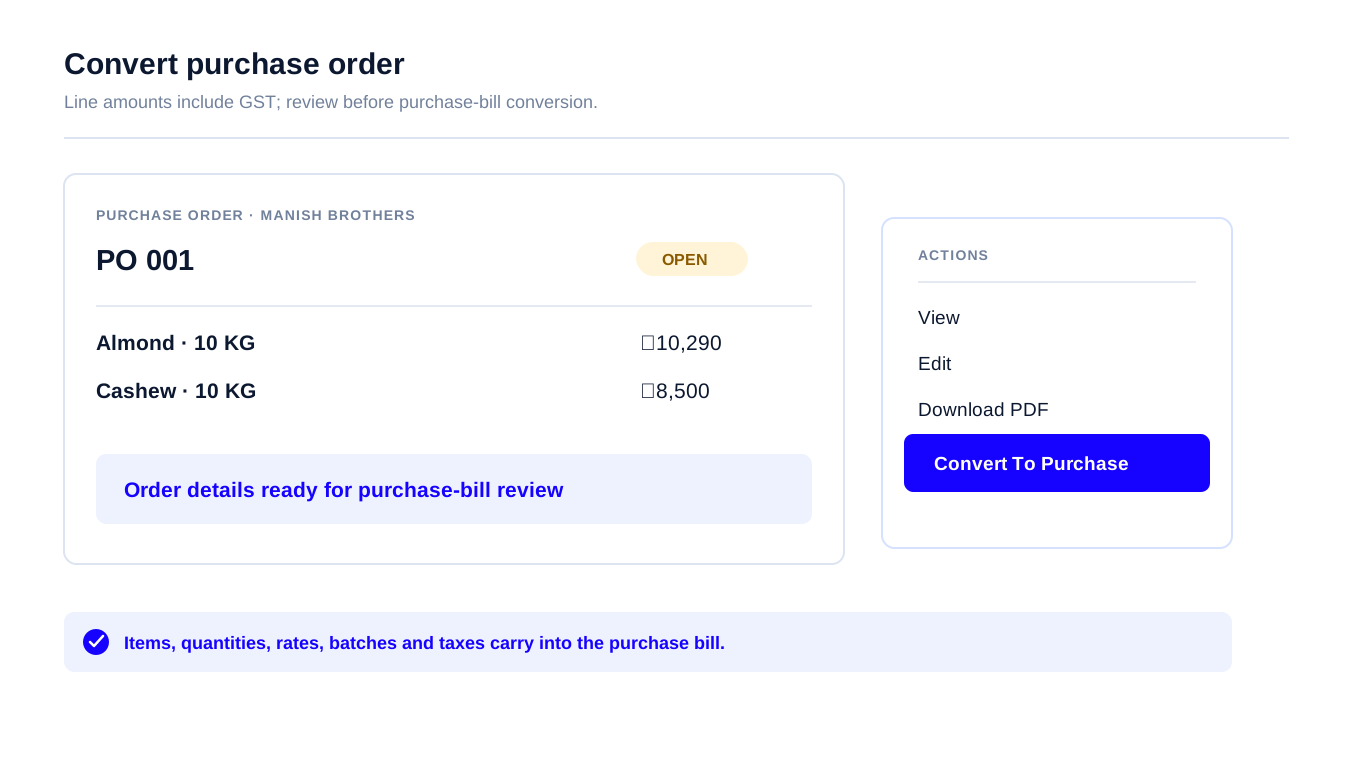
The create screen keeps the supplier, item lines and tax together. The order list shows the supplier, total and Open or Closed status. From an order, choose Convert To Purchase to carry its details into a bill for review.
Is this right for your buying team?
A practical fit for an owner-run shop or small wholesale team—not a replacement for a full procurement suite.
You need supplier portals, RFQs, automated buying, or complex approval chains managed in a procurement suite.
Compare plans after your trial
Test a real supplier order in the 7-day trial. Choose solo access or add staff access for the people who receive and record purchases.
For one owner managing supplier orders
₹3,000 / year
₹2,250 / year
1 User · excl. GST
Check who needs access before choosing
For an owner and up to 3 staff
₹4,800 / year
₹3,600 / year
Owner + 3 Staff (4 Users) · excl. GST
Check who needs access before choosing
For teams that need more control
₹8,000 / year
₹6,000 / year
Owner + 3 Staff (4 Users) · excl. GST
Check the approval setup with your team before choosing.
Before you send a supplier order
Stock Register purchase order management software helps owner-run shops and small wholesale teams create supplier orders, find Open or Closed orders, and carry order details into a purchase bill. The owner, receiving staff and accounts can refer to the same order while checking a delivery.
A purchase order records what a business plans to buy from a supplier, including agreed items and quantities. A purchase bill—also called a purchase invoice—records the received purchase; stock updates only after that bill is saved.
No. Saving a purchase order does not change stock. Stock updates after the received goods are entered and the purchase bill is saved.
Stock Register purchase orders support item quantities, rates, GST and HSN codes; batch and expiry fields are available where configured. Check the fields used by your business before relying on them.
Yes. Stock Register lets you download a supplier purchase order as a PDF so you can send it through WhatsApp or another channel. Check the supplier and order details before sharing.
Yes. Stock Register’s Low Stock filter shows items below the minimum level set for them, so a buyer can decide what to reorder. The business still chooses the quantity and timing.
Stock Register supports supplier purchase orders, Open or Closed status, and purchase-bill conversion for small businesses. It is not a full procurement suite with supplier portals, RFQs, automated buying or complex approval chains.