Staff Activity Log for Stock & Billing
For Indian wholesalers, distributors, retailers, and multi-store teams, Activity Timeline shows what changed, when it changed, and which staff member did it.
Use Stock Register as an inventory audit trail: follow stock adjustments, invoices, staff access changes, and other business entries in time order. Search by invoice, item, party, or staff, then filter by entry type or action when you need a clear record.
When an entry needs a decision before it moves ahead, see Approval System for the owner’s review queue.

A Clearer Record of Staff and Stock Activity
Know what was added and when, then use the entry details to answer the next question.
Common problems this solves
A shared login hides the person behind an entry
The owner can see that something changed but not which staff member created it.
Activity records keep the creator’s name with the entry.
Calls do not make a reliable business record
Questions about a stock movement or bill often depend on memory and separate WhatsApp messages.
A time-ordered activity view keeps the business record in the app.
Multiple stores create more places to check
Owners need to follow activity across the business without asking every store for a separate update.
Use one timeline to follow activity and then inspect the underlying entry.
Time-Ordered Activity History
- See business activity arranged by date and time.
- Follow the latest entries first when the owner needs a quick update.
- Use the activity record as the starting point for checking a transaction.
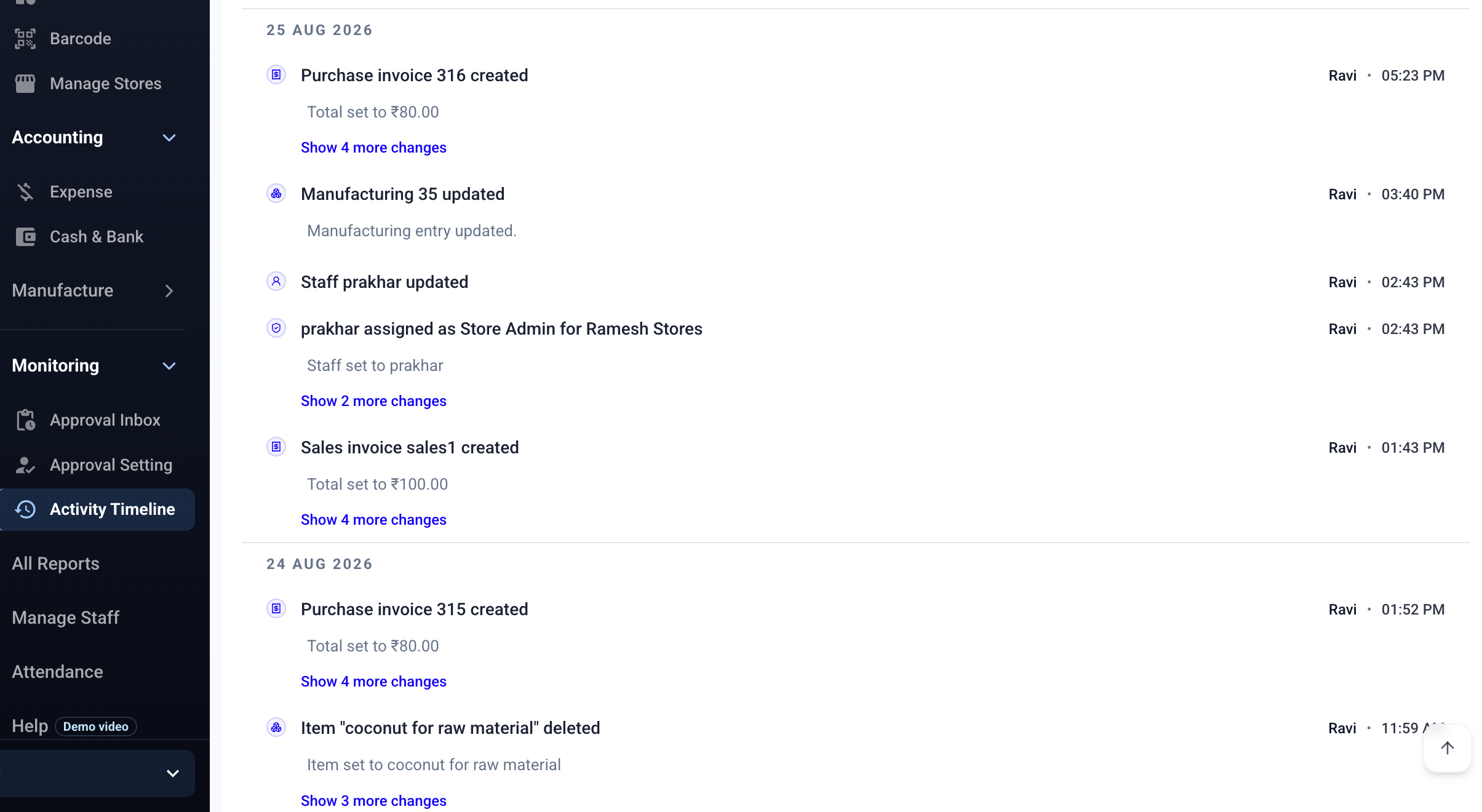
Follow stock, billing, and staff activity by date
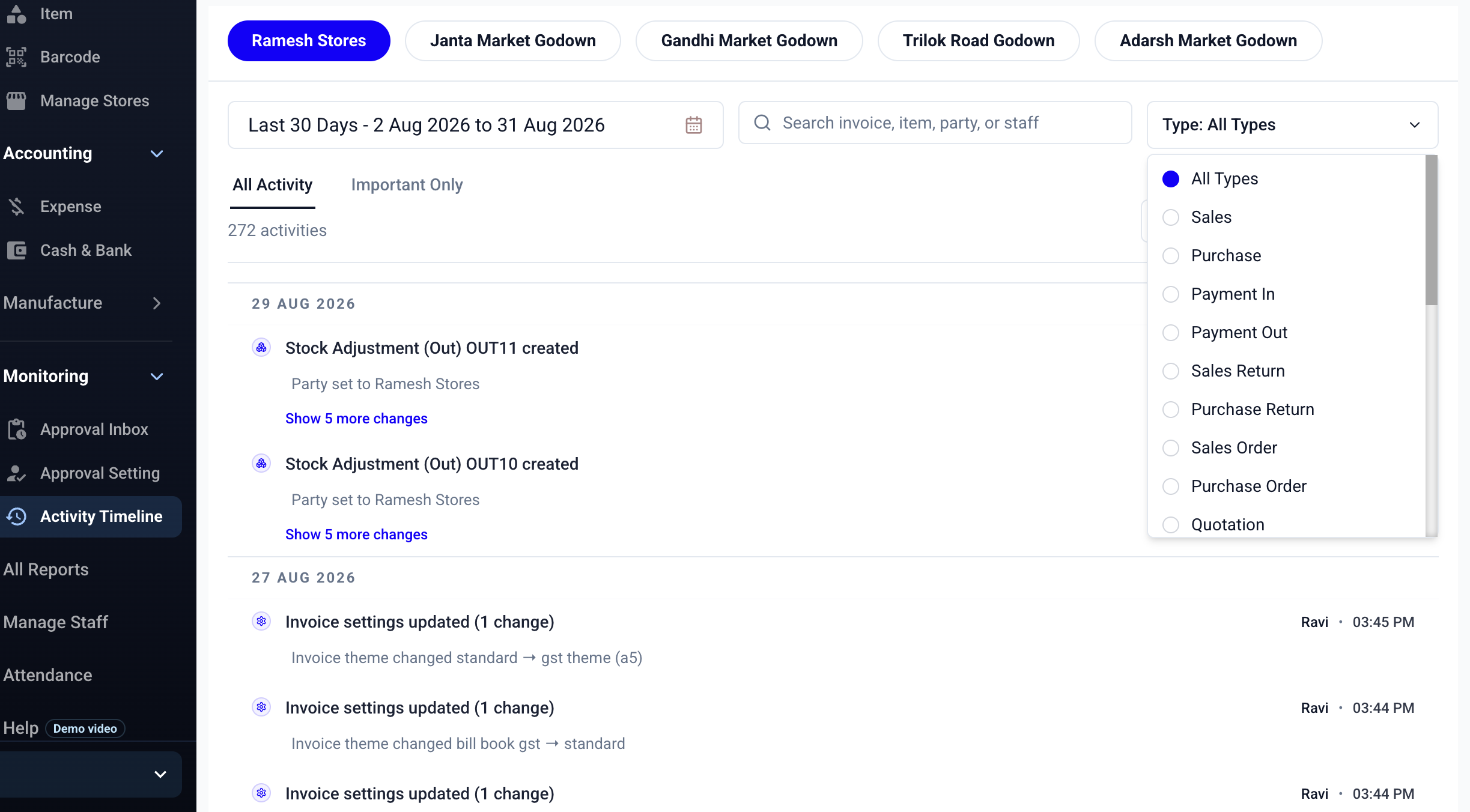
Filter activity by entry type
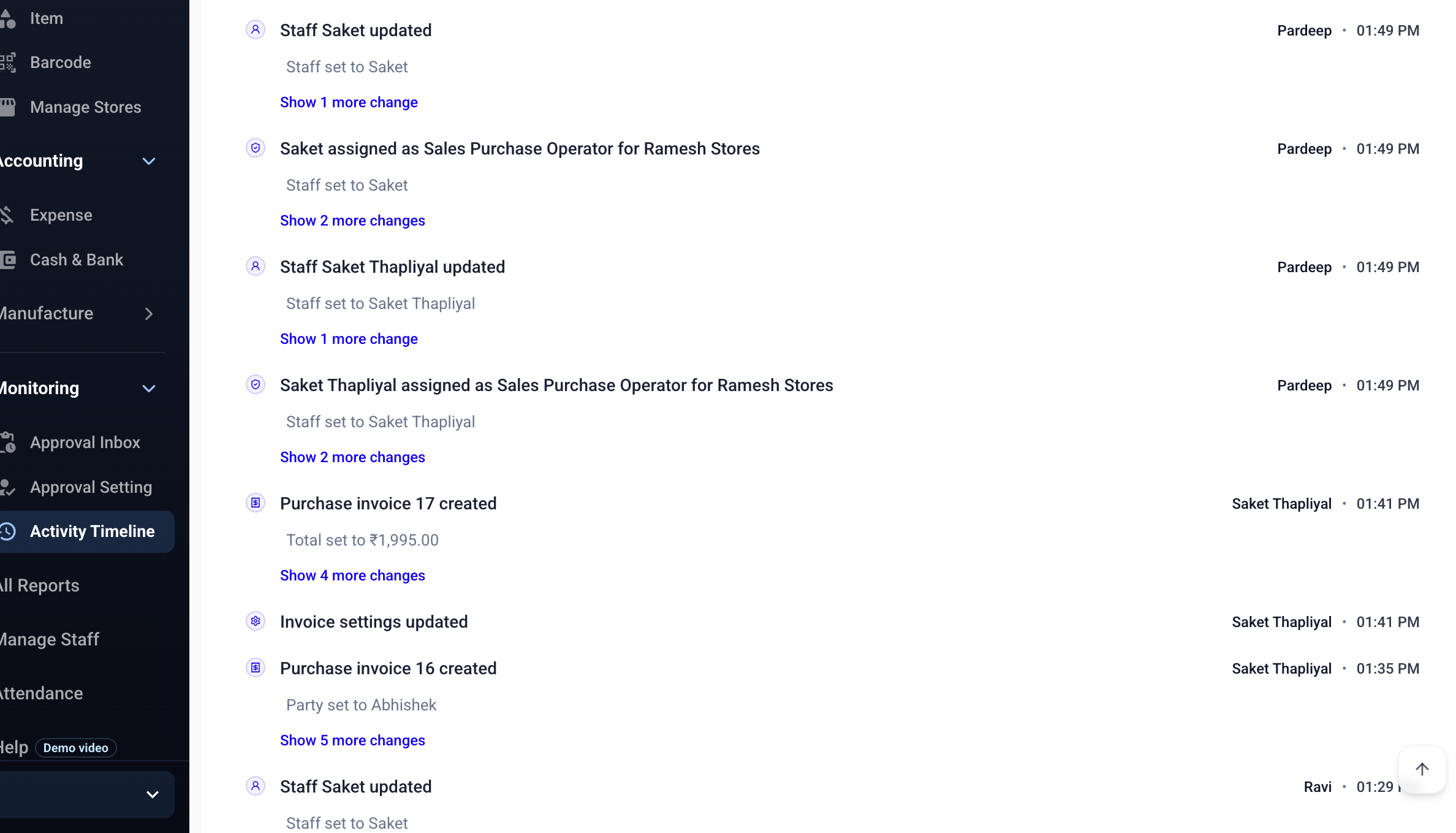
Entry Creator and Entry Details
- Keep the staff member’s name beside the entry they created.
- Connect the activity to the relevant entry number and business record.
- Check the source record instead of relying on a verbal update.

Works Alongside Staff Access and Approvals
- Use staff roles to control what each person can see and do.
- Use Approval Inbox when an entry needs an owner’s review.
- Use the timeline to follow what happened after the entry was submitted or approved.

Activity Timeline Features
How to Follow Business Activity
Start with the latest activity and open the record that needs your attention.
Open the Timeline
Go to Activity Timeline when you want to see the latest business activity in order.
Check Who and When
Read the staff member, entry, and time attached to the activity.
Open the Entry
Inspect the related business record when you need more detail or a follow-up.
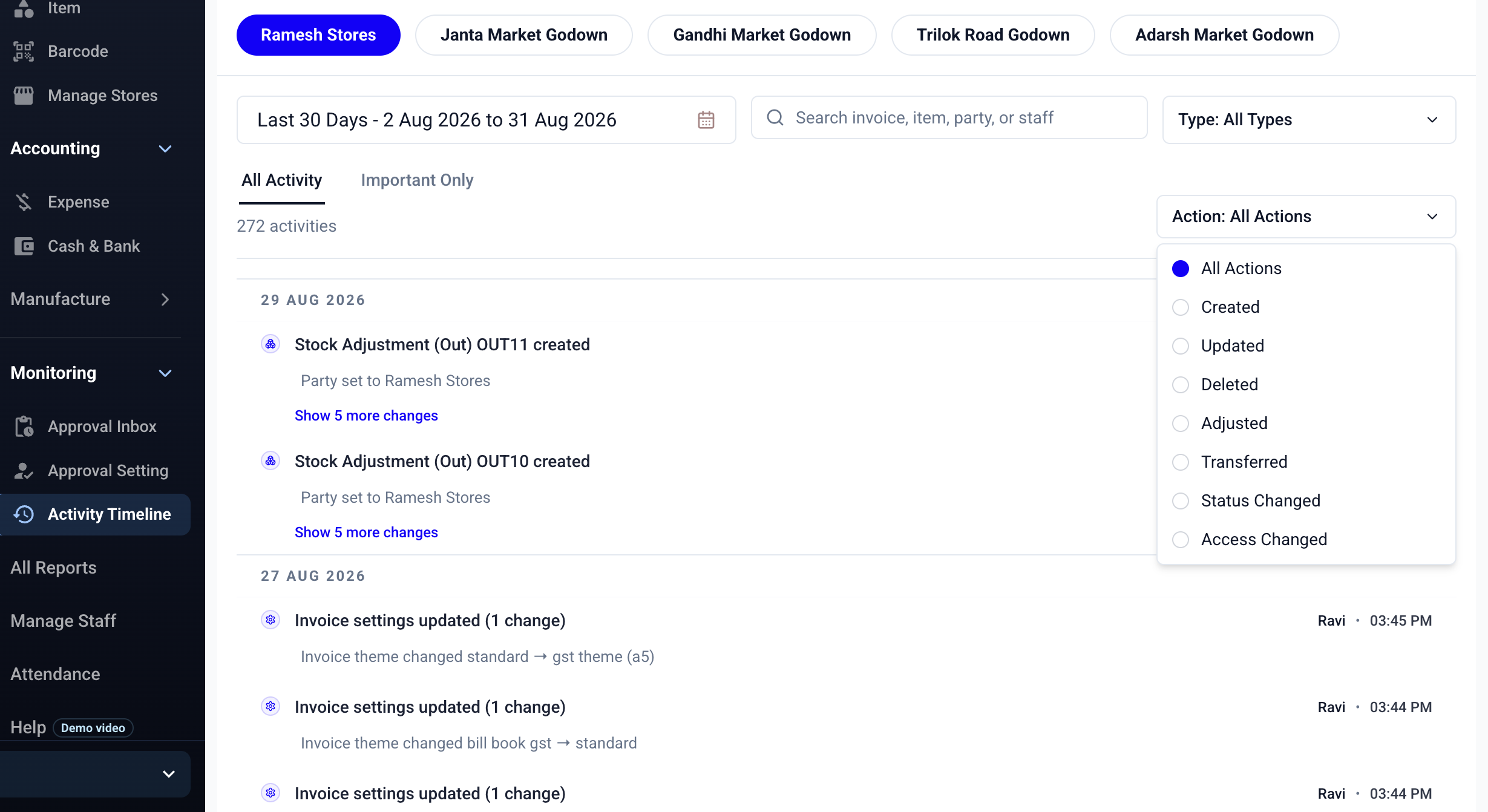
Keep Your Team’s Work Easy to Follow
Try Activity Timeline with your own staff and entries during the 7-day free trial.
Activity Timeline Is Included in Advance Pro
Basic Plus
Solo ownerBasic Plus for owner-operated businesses
1 User · Just ₹187/month · excl. GST
Start Free TrialNo advance payment · No setup fee
Advance Plus
Team planFor teams that need staff access and multi-store inventory
Owner + 3 Staff (4 Users) · excl. GST
Start Free TrialNo advance payment · Cancel anytime
Advance Pro
Owner + staffActivity Timeline, staff activity history, and Approval System for growing teams.
Owner + 3 Staff (4 Users) · excl. GST
Start Free TrialNo advance payment · Cancel anytime
FAQs
Frequently Asked Questions
Direct answers about staff activity logs, inventory audit trails, entry history, and Activity Timeline for Indian businesses.
Still have questions?