Billing + inventory guide
Billing and Inventory Management: Why a Bill Alone Doesn't Keep Stock Right
A practical guide to connecting bills with purchases, sales, returns, transfers and stock checks for Indian shops, godowns, branches and growing businesses.
For Indian retailers, wholesalers, distributors and growing businesses managing stock across shops, godowns or branches.
QUICK ANSWERS
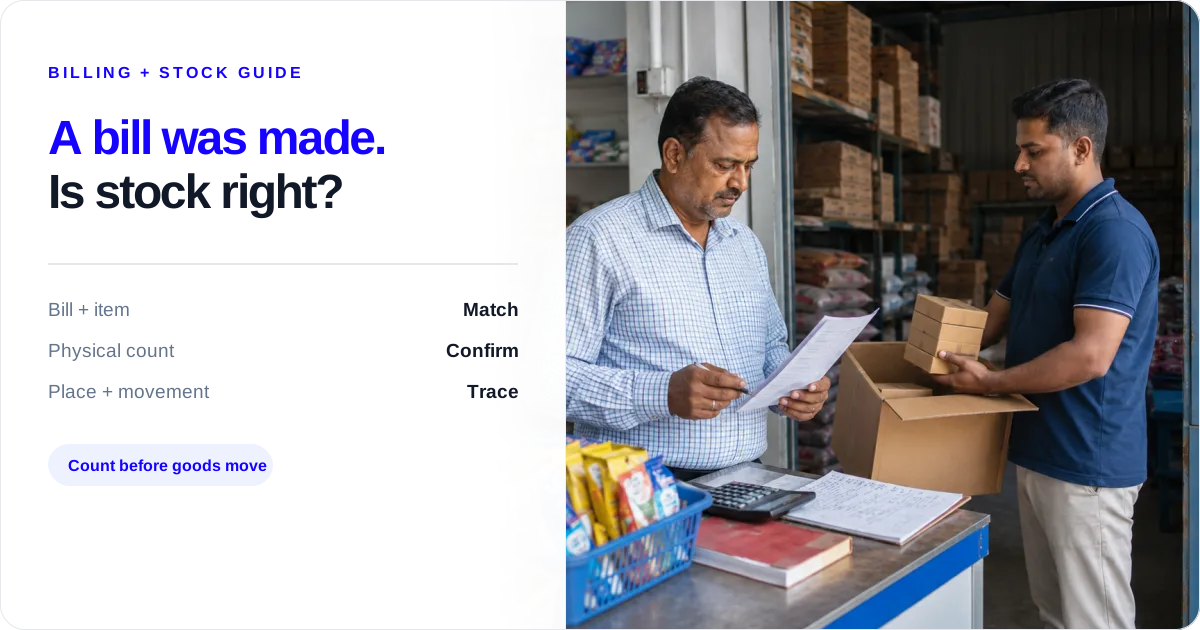
A bill is not the whole stock record
What must match a bill?
Item, unit, quantity, location, date, party and document type must describe the same movement.
What is an internal move?
Goods moving from one shop or godown to another are a transfer, not a customer sale.
Who checks the physical goods?
The counter or godown team handling the goods counts them; the owner follows up on unusual entries.
Billing software with inventory helps keep a useful record only when each bill is connected to the right item, unit, quantity, location and document type. Creating a bill alone does not prove that the stock on the shelf or in the godown is right.
For a retailer, wholesaler, distributor, FMCG stockist, pharmacy, food business or multi-location merchant, the gap usually appears at handover: the counter person makes the sale bill, the godown person sends goods, and the owner later sees a stock number that nobody can explain.
If you first need to compare recorded stock with the shelf and find why they differ, start with the Inventory Accuracy Guide. Then use this article when the bill is correct but the stock balance is wrong. If the mismatch is caused by cartons, boxes and pieces being used differently, follow the carton-to-piece stock conversion guide. If a returned bill is changing the balance, use the sales and purchase returns guide. If the risk starts at the counter, use this busy-counter wrong-item billing check before saving the bill.
When the shop cannot stop billing for a full stocktake, use the live stock count routine for an open shop to count one rack or item with a clear time and movement cut-off.
If the sale has pushed one shop or godown below zero, use the negative-stock troubleshooting guide before making an adjustment. It helps you check the item, unit, supplying location and recent movement in the right order.
A bill is one event. Stock is the chain around it.
A sale bill says what was sold to a party. A correct stock record also needs the matching purchase inward, the unit sold, the quantity that actually left, the shop or godown it left from, and any return, transfer or adjustment that changed the balance later.
The same distinction applies to a purchase bill. Saving the document is not the same as checking the goods received. The owner or godown staff still needs to compare the supplier bill with the item, pack, quantity and location that came in.
For a manufacturer, that same handoff applies when raw materials move into production and finished goods move into a store or godown: the entry needs the right item, unit, quantity and location, not just a saved document.
Use these seven fields as the handover between billing and inventory:
| Field | What must agree | What to do when it does not |
|---|---|---|
| Item | The billed item and the item physically handled | Stop the handover and identify the exact item or size |
| Unit | Carton, box, piece, kg, litre or another selling unit | Confirm the pack conversion before saving |
| Quantity | Bill quantity and goods sent or received | Count before the goods leave or enter |
| Location | Shop, branch, godown or store | Select the place that handled the goods |
| Date | Entry date and the day goods moved | Use the actual movement date and note late entries |
| Party | Supplier or customer named on the document | Match the bill to the right party |
| Document type | Purchase, sale, return, transfer or adjustment | Use the event that really happened |
If one field is wrong, the bill may still print while the stock record becomes hard to trust.
Follow one item from purchase to sale
For one item, the record should tell the same story from the time goods come in until they leave:
- Purchase inward: Goods arrive at a named shop or godown. Record the supplier, item, unit and quantity received.
- Godown receipt: Count the cartons, bags, pieces or weight against the purchase document before putting them away.
- Stock transfer: If goods move to another shop or branch, record the source, destination, item, unit and quantity as an internal transfer.
- Sale outward: Bill the customer from the location that actually supplied the goods.
- Return: Record a customer or supplier return against the original item and party, then check the goods before changing their saleable status.
- Adjustment: If the physical count and recorded quantity differ, investigate the recent entries and record a reason before correcting the balance.
The item, unit, quantity and location should remain understandable at every step. This is why a bill is one event in the stock record, not the complete stock record by itself.
Billing and inventory management answer different questions
Billing tells you about the document and the transaction. Inventory management follows the goods before, during and after that transaction.
| Billing records | Inventory must also track |
|---|---|
| Customer, supplier and amount | Item and selling or purchase unit |
| Invoice or purchase date | Physical shop, branch or godown |
| Sale or purchase quantity | Goods received, handed over or moved |
| Tax and document details | Returns, transfers and adjustments |
| Transaction value | Recorded balance and physical count to be checked |
Both records can refer to the same bill, but they do not answer the same question. “Was the document saved?” is a billing question. “Where are the goods, and does the recorded quantity match what the team handled?” is an inventory question.
Where billing and stock records usually break apart
A notebook or Excel file sits beside the billing screen
The counter bill is saved, but the notebook is updated at closing—or not at all. Keep one place for the quantity record. If a second list is unavoidable, assign one person and one time for copying the movement, then compare the total before the day ends.
The right item is saved under the wrong godown
The godown sends 12 cartons, but the bill is saved against the branch because that is where the customer is. The customer sale belongs to the place from which goods went out. If stock first moves internally, record that move separately and then bill from the location that supplied the order.
A carton is billed while pieces leave the shop
Buying 10 cartons of 24 pieces gives 240 pieces. If the counter hands over 7 pieces but saves 7 cartons, the record is wrong even though the bill exists. Decide the base unit for the item, show the pack conversion to staff, and count in that same unit.
A return is entered as a fresh purchase or sale
A customer return increases stock; a supplier return reduces it. Do not hide either event in a new sale or purchase entry. Keep the original party, item, unit and quantity visible so the owner can explain the change.
A godown transfer is entered as a sale
When 20 bags move from the main godown to a branch, the business still owns all 20 bags. A sale would reduce business stock and create a false customer outward. Use a transfer for the internal move, then use a sale when the branch sells to its customer.
An adjustment has no reason
An adjustment may be needed for a count difference, damage or a data-entry correction. Write the reason, date, location and quantity before saving it. An unexplained correction changes the number without helping the next person understand it.
Staff share one login
If three people use the owner login, it is difficult to tell who entered a late sale, changed a quantity or selected the wrong store. Give each staff member their own login where the setup supports it, assign the store they work in, and let the owner check the entry when something looks unusual.
The handoff is clearer when each person owns one check: counter staff confirm the item, unit and customer; godown staff confirm the goods, quantity and source or destination; the owner reviews unusual entries and decides whether a count or correction is needed. The software can preserve the entries each person saves, but the team still has to perform the physical check.
Three handoffs that keep billing and stock aligned
Counter staff: before the bill is saved
Confirm the item name or size, selling unit, quantity, customer, date and store. If the customer is receiving loose pieces from a carton, say the piece quantity aloud before the goods are handed over. Do not promise stock from another godown without the owner or godown team confirming the move.
Godown staff: when goods come in or go out
Match the purchase bill or dispatch note to the physical goods. Count cartons, pieces, bags or weight in the same unit as the item record. Confirm the source or destination location. If goods move between stores, tell the counter team that it is an internal transfer, not a sale.
Owner: at closing and before buying more
Look at the day’s purchases, sales, returns, transfers and adjustments. Pick unusual quantities or a location that looks wrong and trace its item ledger back to the bill. The owner decides whether a physical count, correction, supplier call or CA discussion is needed; billing software does not make that decision for you.
Example: the bill was right, but the location was wrong
Example numbers — not a customer result. A merchant receives 100 cases of cooking oil into the Main Godown. During the day, 30 cases move to the Shop and 18 cases are sold there. The correct business total after the sale is 82 cases: 100 received − 18 sold. The location balance is 70 cases in the Main Godown and 12 cases in the Shop.
If the 30-case internal move is entered as a sale, the business total shows 52 cases instead of 82. If the 18-case bill is saved against the Main Godown even though the Shop supplied it, the combined total may look plausible while both location balances are wrong. The fix is to record the inward, transfer and sale as three different events, with the same item, unit, date and locations.
A billing entry records a transaction; inventory management must also record where the goods are, how they moved, and what staff physically counted.
See how Stock Tracking connects purchases, sales, returns, transfers and adjustments in one item ledger.
When a branch is short but the business has stock
Suppose the Shop needs 18 cases for a customer order, but the Main Godown has enough recorded stock while the Shop has only 4 cases. The owner should not promise the full order from the combined total. Check the Main Godown balance, confirm that its own dispatches will still be covered, and then choose one of three actions:
- Transfer: Move the required quantity to the Shop and record the source, destination and quantity.
- Purchase: Buy more when the other location cannot spare stock or the movement will not reach the Shop in time.
- Change the promise: Offer the quantity the Shop can supply or give a realistic dispatch time.
This is the practical value of location-wise inventory: it gives the owner the facts needed for the next customer promise. It does not make that promise or choose the action automatically.
What Stock Register records—and what you still need to check
In Stock Register, record purchases, sales, sales returns, purchase returns, transfers and adjustments with the item and quantity that your team enters. Use Stock Tracking to follow those entries through stock-in, stock-out and item-ledger views. Use the relevant store or godown when the business keeps location-wise stock, and use separate staff logins and store access when your plan and setup support them.
The owner can use the item ledger or movement history to trace an inward, outward, return, transfer or adjustment. Store-wise views help show where the recorded quantity sits, and reports can be downloaded where the current view provides that option. These records show what the team saved; they do not guarantee that the physical goods, pack, condition or location were checked.
Use each recorded view for a specific question:
- Item ledger: Which entries changed this item, and when?
- Stock-in and stock-out: What quantity was recorded as coming in or going out?
- Store-wise stock: Where is the recorded quantity sitting across shops and godowns?
- Transfer history: Which source, destination, item and quantity were recorded for an internal move?
Start with the view that matches the problem instead of treating one combined balance as the answer to every stock question.
Before you start using one stock record
Set up the handoff with one item and one location first:
- Choose the base unit and write down common pack conversions, such as one carton equals 24 pieces.
- Give every shop, branch and godown a clear name that staff will use consistently.
- Decide who records purchase inward, sale outward, returns, transfers and adjustments.
- Give staff their own access and the right store where the current setup and plan support it.
- Test one purchase, one internal transfer and one sale, then compare the recorded entries with the goods handled.
Once that test is clear, add more items and locations. A larger list does not fix an unclear unit, location or responsibility.
How Stock Register helps with this stock handoff
Use the part of Stock Register that matches the next job:
- Track stock by item and unit: Use Stock Tracking to follow recorded stock-in, stock-out and item-ledger entries.
- See stock by shop or godown: Manage multiple godowns when the business needs separate store-wise records.
- Record internal movement: Use Stock Transfer for goods moving between your own locations.
- Give staff controlled access: Set up Staff Roles and Access where the plan and setup support separate logins and store access.
- Keep billing and stock connected: Review GST invoicing and stock entries while checking that the item, quantity and location match the goods handled.
These pages explain the product areas separately. The article’s operating rule stays the same: the team must save the right event, then check the goods and location that the entry describes.
For GST invoices, tax fields and return treatment, follow the business’s billing process and confirm the applicable responsibility with your CA. A stock record can support the conversation, but it does not decide tax treatment or prove compliance.
Daily and weekly checks
At the end of each day:
- Match purchase bills to goods received and the selected store or godown.
- Match sale bills to goods handed over, especially cartons sold as pieces.
- Enter customer and supplier returns as returns, not fresh bills.
- Keep internal movement as a transfer, not a sale.
- Review adjustments and write a reason for every one.
- Check one or two unusual item quantities in the item ledger.
Once a week:
- Pick one fast-moving item and trace purchase, sale, return and transfer entries.
- Compare the recorded quantity at each shop, branch and godown with a physical count.
- Check that staff are using their own login and the correct store.
- Look for late entries, repeated corrections or a negative-looking balance and investigate the cause.
- Before the next purchase, decide whether stock is short, in another location, in the wrong unit or simply recorded against the wrong event.
When the bill and stock record disagree
| What happened | Check first | Next step |
|---|---|---|
| Bill saved; notebook is different | Same item, date and quantity | Choose one stock record and update it |
| Shop is short; godown has stock | Store and transfer entry | Confirm the supplying location |
| Carton bought; pieces sold | Pack size and base unit | Count and bill in the agreed unit |
| Goods came back | Customer or supplier and condition | Use the correct return entry |
| Quantity was corrected | Reason, date and person | Trace it before making another change |
Bill saved; notebook is different
- Check first
- Same item, date and quantity
- Next step
- Choose one stock record and update it
Shop is short; godown has stock
- Check first
- Store and transfer entry
- Next step
- Confirm the supplying location
Carton bought; pieces sold
- Check first
- Pack size and base unit
- Next step
- Count and bill in the agreed unit
Goods came back
- Check first
- Customer or supplier and condition
- Next step
- Use the correct return entry
Quantity was corrected
- Check first
- Reason, date and person
- Next step
- Trace it before making another change
What Stock Register records
- Purchase, sale, sales return, purchase return, transfer and adjustment entries with the quantities your team saves.
- Stock-in, stock-out and item-ledger views for tracing recorded movement.
- Store or godown views and staff access where supported by the setup and plan.
The team must still count goods, choose the right unit and location, record a reason for corrections, and ask a CA about GST or tax responsibility.
Related resources
Frequently Asked Questions
Does billing software automatically keep inventory correct?⌄
No. It can update a recorded balance when the right entry is saved, but it cannot confirm the physical count or fix a wrong unit or godown. Compare the bill, goods and location before saving; in Stock Register, trace unusual entries in Stock Tracking or the item ledger.
What is the difference between billing and inventory management?⌄
Billing creates a purchase or sale document. Inventory management connects it to the item, unit, quantity, location and later returns, transfers or adjustments. Keep the stock record in the same daily handoff and check the item ledger after unusual entries.
Can billing software track stock across shops and godowns?⌄
Some systems record location-wise stock, but staff must select the right location and record internal movement separately from sales. In Stock Register, use the store or godown attached to the entry and record a Stock Transfer when goods move between locations.
How should I handle a customer return in a stock record?⌄
Record it as a sales return with the original item, unit and quantity, then check the goods before putting them back into saleable stock. In Stock Register, use the sales-return entry and review the item’s movement history afterward.
Is a stock adjustment the same as reconciliation?⌄
No. An adjustment changes the recorded quantity for a stated reason; reconciliation compares that record with a physical count and investigates the difference. In Stock Register, record the adjustment reason, then keep the physical count and business decision with the owner or team.
Does Stock Register replace a CA for GST and invoice questions?⌄
No. Stock Register records the entries and invoice details your team saves, but a CA should guide tax treatment, GST reporting and business-specific compliance questions. Keep the bills, return details and stock record together for review.