Operational guide for Indian merchants
Damaged Stock and Wastage: How to Record a Stock Adjustment
A plain-language stock adjustment routine for Indian retailers, wholesalers, distributors, stockists, pharmacies, food businesses, manufacturers and multi-location merchants.
For Indian retailers, wholesalers, distributors, FMCG stockists, pharmacies, food businesses, manufacturers and multi-location merchants who need to record damaged or wasted goods.
QUICK ANSWERS
The damaged-stock entry in three questions
Which entry should I use?
For goods broken, leaked, spoiled or wasted while they are with you, use Stock Out adjustment for only the affected quantity.
What should I write?
Choose the closest reason—Damage, Wastage, Expired or Theft—and add the item, quantity and place in the remark.
What happens next?
Keep the goods aside, give the next action to the owner or responsible team member, and look for repeated losses by item and location.
When goods are broken, leaked, spoiled, stolen, expired or otherwise no longer saleable, check the affected quantity and location, then record only that quantity as a Stock Out adjustment with the correct reason and a useful remark. This keeps saleable stock separate from the loss and leaves a clear entry for the owner to follow up.
This routine is useful for a shop counter, a godown, a branch, a pharmacy, a food business, a factory store or a merchant with stock in several locations. It covers the moment the team finds a loss—not how to process a customer return, a supplier return, a general physical-count mismatch or a short-expiry batch.
If nobody has seen damaged goods and you only know that recorded stock and physical stock differ, begin with the Inventory Accuracy Guide. Use this article after the team confirms the damaged or wasted quantity. When the goods came back from a customer or supplier rather than being damaged in your own stock, use the sales and purchase returns guide. For goods that are still saleable but nearing their date, see the expiry-date stock guide.
How to record damaged stock as a stock adjustment
Use the same five checks every time:
- See the goods. Confirm the carton, item, unit and condition. A torn outer carton, leakage or spoilage should not be recorded from a message alone.
- Count the affected quantity. Separate the broken pieces, cartons, kilograms or litres from stock that can still be sold. Do not remove the full item balance when only part is affected.
- Write what happened. Use a plain reason such as Damage, Wastage, Expired or Theft, and add a remark with the place and short detail: “2 cartons leaked on lower rack, Jaipur godown.”
- Choose the next owner. The godown person can keep goods aside; the owner decides whether to dispose of them, raise a supplier conversation, retain them for inspection or handle them under a quality rule.
- Record the stock change. Use Stock Out for goods that are no longer available for sale. This is the usual wastage entry for goods lost through damage or spoilage. If a later count finds good stock that was missing from the record, investigate first and use Stock In only for that separate correction.
For medicines, food, chemicals or manufactured goods, physical condition and disposal rules may need a responsible quality person, supplier or chartered accountant. A stock entry records the quantity change; it does not decide whether a product is safe, compliant, returnable or fit for another use.
Before you enter the adjustment
Take a minute to establish four facts before changing the stock balance:
- Which item is affected? Match the brand, size, pack, unit and, where relevant, batch or lot. Two products can look similar but have different purchase prices and stock balances.
- Where was it found? Write the shop, branch, godown and rack or area in the remark. Select the same store or godown in the stock screen.
- How much is affected? Count saleable and damaged goods separately. If one carton contains 24 pieces and only 3 pieces are spoiled, record 3 pieces when your stock is kept in pieces; do not remove the full carton unless the full carton is unusable.
- What happened next? Tell the owner whether the goods are kept aside, being checked, going back to a supplier or ready for disposal under your business rules. The stock entry and the physical handoff should agree.
If the quantity is not clear, do not guess. Mark the goods for a recount, check the unit, look at the last inward or sale entry and ask the responsible person to confirm the count. A delayed, accurate adjustment is easier to trace than a quick entry for the wrong quantity.
Damage, return, expiry or count correction: which entry fits?
Ask what happened before choosing the entry. The useful comparison is what happened / which entry / what to check next:
- Goods broken, leaked, spoiled or wasted in your possession: Stock Out adjustment with Damage or Wastage; count the affected quantity and record where it was found.
- Customer sends back goods after a sale: Sales Return; match the customer, invoice and returned quantity, then inspect whether it can go back to saleable stock.
- You send goods back to the supplier: Purchase Return; match the supplier document and the quantity leaving your business.
- Goods have crossed their expiry date: Stock Out adjustment with Expired when the expired quantity is confirmed; use the batch/date record and follow the product’s handling rules.
- Physical count finds a quantity difference but the reason is not yet known: pause before calling it Damage or Wastage; recount, check the unit, location and item ledger, then record a correction only when the facts support it.
Do not use a sales or purchase return simply because stock is damaged. A return means goods went back to a customer or supplier. A damage or wastage adjustment records a loss found while the goods are with you.
When the reason is still unclear
Sometimes the team finds fewer goods than the stock register shows, but nobody knows whether it was leakage, a missed sale, a wrong unit, a dispatch error or theft. Do not label the difference as damage just to close the count.
First, recount the item and check the unit. Then check the shelf, nearby racks, recent inward, sales, transfers, dispatch notes and the item ledger. Ask the counter person or godown worker who last handled the goods. If the owner confirms that the stock is genuinely gone, choose the reason that best matches the known facts and write what was checked in the remark. If the reason remains unknown, use a correction only under your business rule and keep the follow-up with the owner.
This separation protects two useful facts: the stock balance can be corrected, and the reason for the loss is not overstated. A damaged-stock entry should describe goods that were actually seen and counted as damaged or wasted.
How Stock Register records a damaged-stock inventory adjustment
In Stock Register, open Inventory > Stock, select the item and choose Stock Adjustment or - Stock Out. Select the store or godown, choose the adjustment reason, enter the quantity and add a remark before saving. The adjustment form shows the Entry Number, Date and Time. Its item row shows Current Stock, Quantity to adjust, Avg Purchase Price and Stock Value for the affected goods.
The reason is important. “Adjustment” alone cannot tell the owner whether the loss came from a broken carton, leakage, expired goods, theft or a data-entry correction. Use the closest available reason—such as Wastage, Damage, Expired, Theft or Sample Given—and use the remark for the detail that the dropdown cannot hold.
After saving, the item ledger shows the recorded adjustment as Stock Out with its reason. The ledger helps the owner see what was entered, when it was entered and how the running stock balance changed. It does not prove that the team counted the right carton or that a damaged item was disposed of.
The Stock Adjustment Report gives the owner a wider check after several entries. Choose the date range and store or godown, then review the Adjustment Reason with Total In and Total Out. If one godown shows repeated Damage or Wastage entries, use that view to decide what the team should inspect next: stacking, inward handling, storage, packing, dispatch or security. The report shows entered stock movements; it does not explain why the goods were damaged or replace a physical check.
Fields worth checking before you save
Use the adjustment screen as a final check, not as a replacement for looking at the goods:
- Item and unit: the exact item and the unit in which the balance is kept.
- Current Stock: the balance before the entry. If it looks wrong, stop and check the item or location.
- Quantity: only the broken, spoiled, leaked, expired or otherwise unavailable quantity.
- Stock In or Stock Out: Stock Out for goods leaving saleable stock; Stock In only for a separate, confirmed increase.
- Avg Purchase Price and Stock Value: useful for understanding the value attached to the affected quantity.
- Date and time: when the loss was found or entered, according to your business record.
- Entry Number: keep it with any owner, supplier, disposal or CA follow-up.
- Reason and remark: the short label plus the detail that explains the event.
Before saving, read the line aloud: “At this location, this many units of this item were removed because of this reason.” If that sentence is not true, correct the item, quantity, location or reason first.
Example: six damaged cartons in a godown
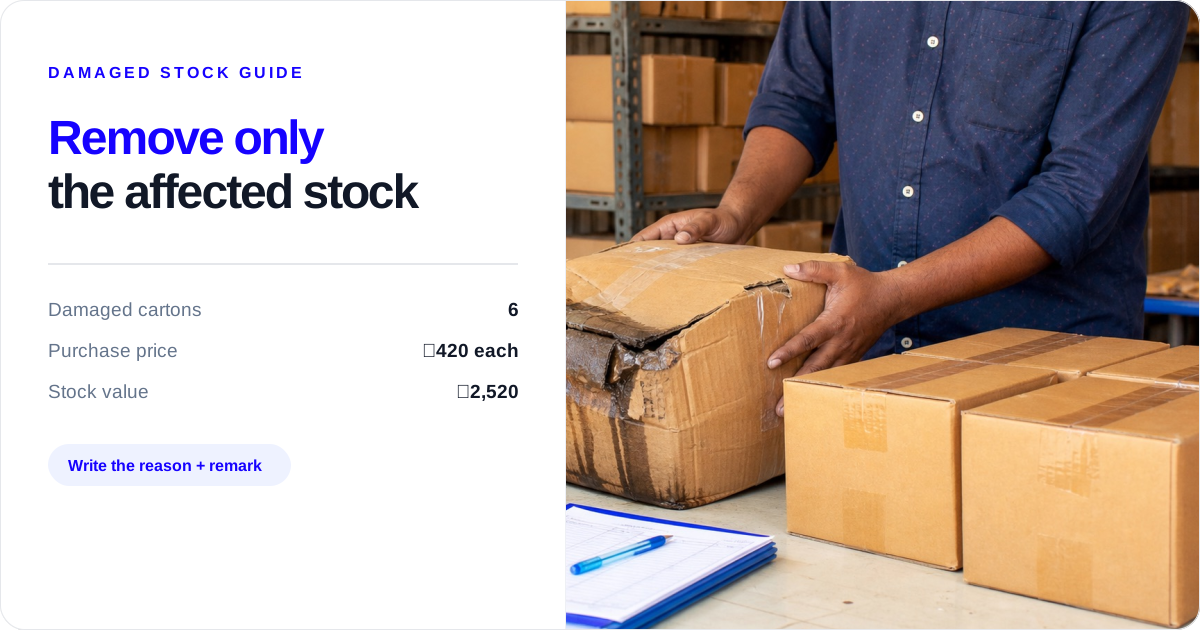
Example figures: A Jaipur godown has 48 cartons of cooking oil at a purchase price of ₹420 per carton. Six cartons are leaking. The godown worker checks the six cartons, keeps them aside and tells the owner.
- Quantity to remove: 6 cartons
- Purchase price used for the stock-value view: ₹420 per carton
- Stock value of affected goods: 6 × ₹420 = ₹2,520
- Recorded balance after Stock Out: 48 − 6 = 42 cartons
- Suggested reason: Damage or Wastage, according to what happened
- Suggested remark: “6 leaking cartons found on lower rack, Jaipur godown; kept aside for owner.”
The ₹2,520 figure is a stock-value reference for this example, not a journal entry or a promise about profit and loss. The owner or CA should decide the accounting treatment, supplier claim and disposal record separately.
A second example: only part of a pack is spoiled
Sample figures: A pharmacy has 10 boxes of a product, with 10 strips in each box. Two strips from one opened box are damaged by moisture, while the remaining 8 strips are usable under the pharmacy’s handling rules.
- If the stock balance is kept in strips, remove 2 strips, not 1 box.
- If the stock balance is kept in boxes and the whole opened box cannot be sold under the pharmacy’s rules, remove 1 box and record the reason in the remark.
- If a responsible person confirms the 8 remaining strips can be sold, keep them separate from the damaged strips and record only the quantity that cannot be sold.
The correct quantity depends on the unit used in the stock record and the decision of the responsible person. The software can record the selected quantity; the pharmacy team must decide whether the remaining product is fit for sale and follow its handling rules.
Examples for different merchants
The same stock adjustment idea appears in different places, but the check before entry changes slightly:
- Retail shop: a bottle breaks near the counter. Move the broken bottle away from saleable stock, count it and add the shelf or counter detail to the remark.
- Wholesaler or FMCG stockist: cartons are crushed during unloading. Count the damaged cartons against the inward quantity and note the vehicle, rack or godown area if that helps the supplier conversation.
- Distributor: goods leak while waiting for dispatch. Separate the affected cases from the dispatch order and record the loss at the location where it was found.
- Food business: ingredients spoil in a cooler. Confirm the quantity and date, keep the food away from usable stock and follow the business’s food-handling rules before recording Wastage.
- Manufacturer: raw material spills during production or finished goods are damaged in packing. Keep raw-material loss, production loss and finished-goods damage in separate records so the owner can follow each one.
- Multi-location merchant: a branch finds broken goods that belong to that branch’s balance. Select that branch or godown; do not reduce the main godown balance because it is easier to remember.
These examples do not create a quality decision for the business. They show which goods to count and which location to record. The owner or responsible team still decides what can be returned, reused, disposed of or discussed with a supplier.
Give the handoff to the person who can act
Counter staff should stop the affected quantity from being billed, note the item and unit, and tell the godown or owner. If a customer has already paid or received the goods, use the correct sales-return conversation instead of silently reducing stock.
Godown staff should locate the goods, count only the affected quantity, write the location and condition, and keep them aside where the team’s rules require it. They should not decide a supplier credit, disposal or product clearance unless that responsibility is theirs.
Owner or operations lead should confirm the reason, approve the quantity recorded, decide the next physical action and discuss accounting or tax treatment with the CA where needed. In a branch business, the owner should also compare repeated losses by item and location.
Keep the handoff short and specific. A useful message is: “Six 1-litre oil cartons are leaking on the lower rack at Jaipur godown. They are kept aside. Stock Out for 6 cartons, reason Damage, remark added. Owner to decide supplier or disposal follow-up.” It tells the next person the item, quantity, place, entry and pending action without asking them to reconstruct the event.
Pharmacy and food teams should add the batch/date or lot detail to the remark when relevant, while following their product-specific handling rules. Manufacturers should separate raw-material wastage, finished-goods damage and production records rather than using one vague adjustment for all three. Multi-location merchants should select the location where the loss was actually found.
What to check each week when losses repeat
Use a short recurring list, grouped by item and location:
- Which item had Damage, Wastage, Expired or Theft entries this week?
- How many pieces, cartons, kilograms or litres were affected?
- Did the same item lose stock in the shop, a particular rack or one godown?
- Was the loss found during inward, storage, picking, dispatch or a physical count?
- Are staff using the right unit and recording the affected quantity rather than the full balance?
- Does the item ledger show repeated entries that need a storage, packing, handling, security or supplier conversation?
- Does the owner need a separate record for disposal, return, insurance, quality review or the CA?
The goal is not to make every loss look neat in the stock record. It is to make the quantity and reason visible enough that the next conversation can address the broken carton, leaking rack, short inward, handling issue or repeated wastage.
A monthly loss review that takes 15 minutes
At month-end, group the item ledger entries by reason and location. Start with the five items or places that show the largest number of affected units or the highest stock value. For each one, write one next step:
- Item: Which product keeps appearing?
- Place: Is the loss at the counter, receiving area, rack, vehicle-loading point or a particular branch?
- Stage: Did it happen during inward, storage, picking, packing, dispatch or customer handling?
- Quantity: Are people entering pieces, packs, cartons, kilograms or litres consistently?
- Value: What purchase-price value was removed during the month?
- Next step: Does the owner need better stacking, stronger packing, a supplier discussion, a security check, a quality review or a CA discussion?
For example, three Damage entries for the same biscuit carton at one godown may point to stacking or handling. Several Wastage entries for the same food ingredient at one branch may point to ordering, storage temperature or preparation quantities. These are questions for the business team to check; the ledger helps show where to start.
Common mistakes that make damaged stock harder to trace
- Removing the whole item: subtract only the affected quantity.
- Writing “loss” for everything: use the closest reason and add a specific remark.
- Changing stock before seeing the goods: count and inspect first.
- Using a return for an internal loss: keep sales returns and purchase returns tied to the party and document.
- Using Expired for every old item: confirm the printed date; slow-moving stock is a separate problem.
- Treating the stock entry as the full accounting record: keep the owner, CA, supplier and quality steps separate.
How to write a useful remark
A good remark lets someone understand the entry later without opening a long chat or guessing. Include the quantity, condition, location and immediate handoff when they matter. For example:
- “3 broken glass jars found during shelf check, Main Shop, kept aside.”
- “1 carton wet during inward, 24 pieces checked, Jaipur godown, supplier to be contacted.”
- “12 kg vegetables spoiled in cooler, Branch 2, removed from usable stock.”
- “4 expired strips from batch AB123, pharmacy back shelf, responsible person informed.”
Avoid remarks such as “damage,” “loss,” “bad stock” or “adjusted” on their own. They may be technically short, but they do not tell the owner what to inspect next. Do not put a customer’s private information or an unconfirmed accusation in the remark. Record what the team saw and counted, then pass any supplier, staff, security or quality concern to the person responsible.
A simple rule to keep
When goods are no longer saleable, count them, keep them aside, record only the affected quantity as Stock Out, write the reason and remark, and give the next action to a named person. Then use the item ledger and your weekly list to find repeated damage or wastage by item and location.
Damage entries stay more useful when purchases, sales, returns and physical counts are recorded with the same discipline. For that broader day-to-day routine, read how to manage inventory in a small retail shop.
What happened, which entry, what to check next
| What happened | Which entry | Check next |
|---|---|---|
| Broken, leaking, spoiled or wasted goods | Stock Out adjustment — Damage or Wastage | Count affected quantity and keep it aside |
| Customer sends goods back after a sale | Sales Return | Match customer/invoice and inspect condition |
| Goods go back to the supplier | Purchase Return | Match supplier document and quantity |
| Goods have crossed the printed expiry date | Stock Out adjustment — Expired | Confirm batch/date and handling rule |
| Physical count differs and the reason is unknown | Pause before choosing a reason | Recount, check unit/location and item ledger |
Broken, leaking, spoiled or wasted goods
- Which entry
- Stock Out adjustment — Damage or Wastage
- Check next
- Count affected quantity and keep it aside
Customer sends goods back after a sale
- Which entry
- Sales Return
- Check next
- Match customer/invoice and inspect condition
Goods go back to the supplier
- Which entry
- Purchase Return
- Check next
- Match supplier document and quantity
Goods have crossed the printed expiry date
- Which entry
- Stock Out adjustment — Expired
- Check next
- Confirm batch/date and handling rule
Physical count differs and the reason is unknown
- Which entry
- Pause before choosing a reason
- Check next
- Recount, check unit/location and item ledger
What Stock Register records
- Stock Adjustment with Stock In or Stock Out direction, a selected store or godown, quantity and a reason such as Wastage, Damage, Expired, Theft or Sample Given.
- Adjustment fields including Entry Number, Date, Time, Current Stock, Avg Purchase Price, Stock Value and Remark.
- The saved adjustment in the item ledger as a recorded Stock In or Stock Out entry with its reason.
- The Stock Adjustment Report can be reviewed for a selected date range and store or godown, with Adjustment Reason, Total In and Total Out shown.
The product records what your team enters. Your team must inspect and count the goods, keep them aside, approve or dispose of them, discuss supplier or quality action, and decide accounting treatment.
Related resources
Frequently Asked Questions
How do I record damaged stock in inventory?⌄
Record damaged stock with a Stock Out adjustment for only the quantity you counted. Choose Damage or Wastage, select the shop or godown, and write the item, quantity and location in the remark. Keep the goods aside and give the owner the next action. The Stock Tracking feature page lists these Stock Adjustment fields and the item-ledger entry.
Should damaged goods be a sales return or a stock adjustment?⌄
Use a sales return when goods come back from a customer after a sale. Use a Stock Out adjustment for leakage, breakage or wastage found while the goods are with you, and a purchase return when goods go back to a supplier. Stock Register’s Stock Tracking feature page covers the Stock In, Stock Out and reason choices.
How does a stock adjustment affect inventory value?⌄
A Stock Out adjustment reduces the recorded quantity and shows the affected Stock Value using the displayed purchase-price information. Six cartons at ₹420 each, for example, represent ₹2,520 of affected stock value. The owner or CA must decide the accounting or tax treatment. Current Stock, Quantity, Avg Purchase Price and Stock Value are listed on the Stock Tracking feature page.
Can inventory software detect whether stock is damaged?⌄
No. Inventory software records the reason and quantity your team enters; a person must inspect the goods, confirm the count and decide whether they are damaged, saleable, returnable or fit for another use. The Stock Tracking feature page supports the stock record, but it does not detect damage or approve disposal.
How do I record inventory loss when only some cartons are damaged?⌄
Count only the damaged cartons or smaller units, keep the good stock available, and enter the affected quantity as Stock Out. Use the unit in your stock record and add the location to the remark. Check Current Stock before saving, then confirm the reason and Stock Out entry in the item ledger.
Can I review stock adjustments by reason and godown?⌄
Yes. The Stock Adjustment Report can be checked for a selected date range and store or godown, with Adjustment Reason, Total In and Total Out shown. Use it to spot repeated Damage, Wastage or other entries by location, then investigate the goods and handling separately. This report detail comes from the first-party Stock Adjustment Report screen.